The game
Paganitzu is a puzzle game seen from above, played one room at a time. Al walks the floor a step at a time, and everything he does, he does by walking into it: walk onto a key or a gem and it is his, walk into a boulder and he pushes it, and some walls crumble when he walks into them. Take every key in the room and the door unlocks.
The trouble is the order. A boulder pushed into water can make a bridge, but a boulder pushed into the wrong corner stays there. Spiders kill whatever they get next to, and a snake fires down its row the moment Al steps into it with nothing in between, so every room asks you to work out the route before you take it - and the clock on the bonus is ticking while you think.
- All twenty rooms of episode 1, Romancing the Rose
- Keys to collect, gems to grab and a door to unlock in every room
- Boulders to push, walls to break and water to bridge
- Spiders that follow the walls, and snakes that turn to watch you
- A bonus that counts down in every room and pays out at the door
- Five lives, an extra one at 5,000 points and every 10,000 after
- Save and restore up to five games on the disk
- A five-place high-score table, saved back to the disk
- The original's title, story, help and ordering pages
- Sound effects through the CoCo 3's own DAC
- Keyboard or either joystick, chosen at load time
- RGB and composite palettes, chosen at load time
Who you will meet
What you will find
- Gem
- Key
- Boulder
- Water
- Door
Screenshots
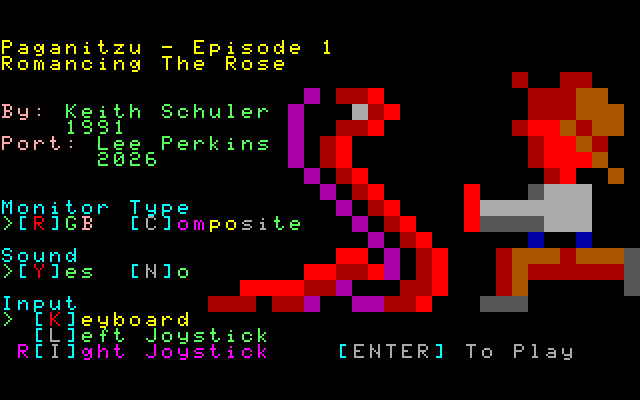
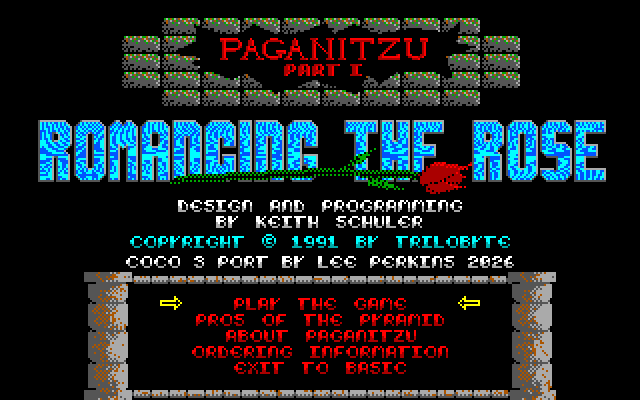
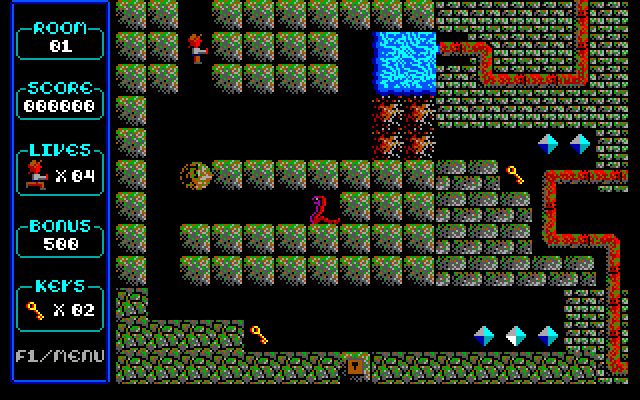
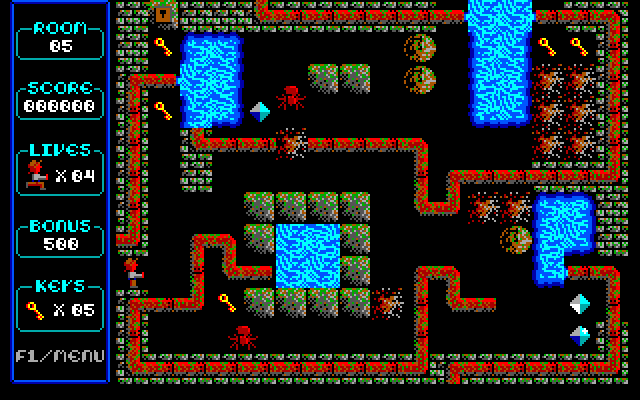
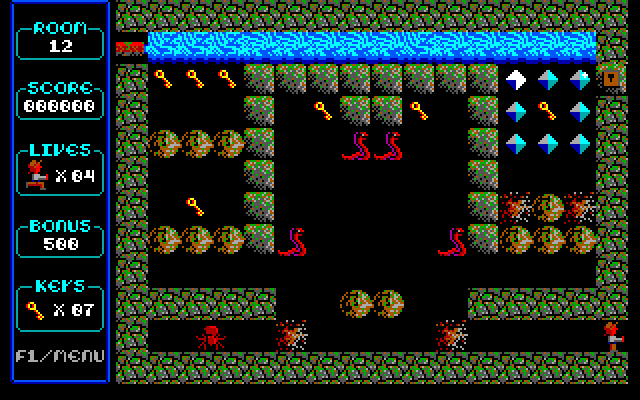
Click any screenshot to see it full size.
Controls
| ← → ↑ ↓ W A S D |
Walk. Hold a direction to keep walking. There is no action key: Al takes, pushes and breaks things by walking into them. |
|---|---|
| P | Pause. ENTER, SPACE or BREAK carries on. |
| F1 BREAK | The menu: save your game, restore a game, help, sound on or off, restart, quit to the title, or return to the game. |
| ENTER SPACE | When Al has died, play his next life (the room starts over). |
| F2 | Give up this life - for when Al is trapped and the room cannot be finished. |
The menu
Move the pointer with ↑ and ↓ and choose with
ENTER or SPACE; BREAK backs out. Saving keeps up to five
games on the disk, as P1-GAME1.SAV to P1-GAME5.SAV, and restoring
puts you back exactly where you were. A game cannot be saved while Al lies dead.
Joystick
Choose the left or right stick in the loader. When the game starts, it asks you to center the stick and press its button; press BREAK there instead to play on the keyboard. In play the stick walks Al and either button opens the menu (once Al has died, button 1 plays his next life instead). Button 2 does what BREAK does. The keys keep working with a joystick chosen.
After a game
A score that makes the top five on PROS OF THE PYRAMID asks for your name, and the table
is written back to the disk as P1-HIGH.SCO.
Getting it running
Download the disk image paga1.dsk · 157 KB · v1.0
What you need
- A CoCo 3 with 512K. The game will not run on a 128K machine.
- A disk drive, or an emulator with disk support, such as MAME.
- An RGB or composite monitor (or equivalent) on real hardware. The loader has a palette for each.
- A joystick, if you like. The keyboard works just as well.
Loading it
Put the disk in a drive and type:
DRIVE #ENTERRUN"PAGA1"ENTER
Replace # with the drive number you put the disk in.
The loader asks three questions. Press R or C for an RGB or a
composite monitor - the screen recolors as you choose, so pick whichever looks right -
Y or N for sound, and K, L or I for
the keyboard, the left joystick or the right. Then ENTER: a bar fills while the
game loads, and the title follows. Your answers are kept on the disk in
PAGA1.CFG, so next time ENTER alone will do. EXIT TO BASIC on
the title menu brings you back to BASIC.
The game writes to the disk - the high scores in P1-HIGH.SCO,
saved games in P1-GAME1.SAV to P1-GAME5.SAV and the loader's
answers - so leave it un-write-protected. If it cannot write the scores, that session's
table is forgotten when you switch off.
About the port
This is not a conversion of anyone else's code. It is a fresh implementation in 6809 Assembly, written to play the way the 1991 original plays: the same rooms, the same rules, the same creatures moving at the same pace, the same title, story and high-score pages.
It runs in the GIME's 320×200 sixteen-color mode. The original's timing comes from the PC's 18.2 Hz clock tick, which the port rebuilds from the CoCo 3's vertical blank so the game moves at the original's speed, and it does its drawing in the blank. The ROMs are switched out at startup and the 512K is banked in and out for the art, the rooms and the title's pictures. The sound effects, written for the PC speaker, are played through the 6-bit DAC by the GIME's timer.
The port is checked by an automated run in an emulator against independent models of the original's behavior, and the game has been tested on real hardware throughout.
Every sprite on this page was taken from the original game's own artwork rather than drawn again, in the colors the port hands the GIME.